


PAQIVA

Customization guide · Artwork setup

Dieline and Artwork Preparation

We provide a free blank dieline to your bag dimensions so your designer can prepare the artwork. Simple bag layout and digital rendering support are also available to help you review the design before sampling.

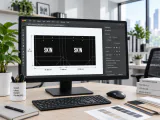
Paper bag dieline displayed on a packaging design workstation.
1

Prepare artwork at the actual dieline and intended scale.

2

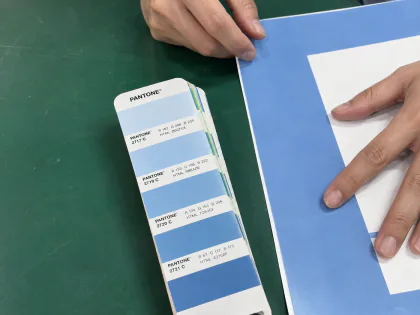
Coordinate colour coverage with paper colour and folds.

3

Use the proof and sample as approval checkpoints, not the screen alone.

Design support

From your dimensions to a clear design

Bring your bag dimensions, logo and any existing artwork. We can help you establish the layout and visual direction before the physical sample.

01 · For your designer

Free Custom-Size Blank Dieline

We provide a blank dieline free of charge, prepared to your custom bag dimensions so your designer can arrange the artwork on the correct panels.

Confirm for the project

Confirm L × W × H (front length × side width × height) and bag structure before the template is prepared. Use the agreed dieline for final artwork.

02 · Arrange the essentials

Simple Bag Layout Support

We can help arrange your supplied logo, text and basic graphics on the bag, keeping the layout clear and consistent across panels.

Confirm for the project

Share usable logo files, wording and colour references. The scope, any charges and revisions are agreed for the project.

03 · Preview the bag

Digital Rendering Support

A digital rendering helps you review the overall appearance, artwork placement and bag proportions before proceeding to a sample.

Confirm for the project

Rendering scope is agreed for the project. Screen colours, reflections and texture are indicative and do not replace physical sample approval.

Artwork preparation

Prepare the artwork on the real bag

Use the confirmed dieline to plan placement, coverage and fine detail around the bag panels, folds, openings and handle positions.

Core decision

Logo Placement

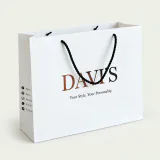
Position the main mark around the bag face, folds, top edge and expected viewing angle.

Confirm for the project

Confirm front, back and any secondary placement in the artwork proof.

Colour planning

Spot-Colour Direction

A focused colour direction can keep the graphic language clear and controlled.

Confirm for the project

Use colour references for planning, while recognising that paper and finish affect the final appearance.

Artwork planning

Full-Colour Artwork

Images, gradients and multi-colour graphics need to be reviewed at the intended bag size.

Confirm for the project

Confirm resolution, printable area, folds and how the paper changes perceived colour.

Surface decision

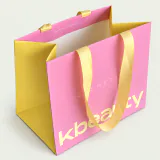
Large-Area Colour Coverage

Broad colour fields make the paper surface and handling marks more visible.

Confirm for the project

Review fold lines, colour consistency and whether a suitable protective surface is worth adding.

Proof carefully

Fine Lines and Small Details

Small lettering and fine graphics need enough size and contrast for the selected paper and finish.

Confirm for the project

Use the proof and physical sample to confirm what remains clear at final scale.

Material-led planning

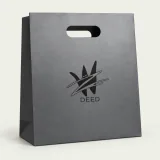
Light Graphics on Dark Paper

Light artwork on black or dark paper requires a deliberate contrast and finish direction.

Confirm for the project

Do not assume the same result as white paper; confirm the visual target with the project sample.

Sample-led confirmation

This guide describes visual planning rather than promising one printing method for every project. The production route and achievable result are confirmed against the selected paper, artwork and quantity.

Made to order

Bring this decision into one complete bag brief.

Share Project Details
WhatsApp